From first call to signed client: designing Menaia's CRM flow
TLDR: Field-service businesses lost client records across spreadsheets and scattered tools. As product lead, I designed Menaia's CRM, the lead-to-client-to-project backbone of the platform. Every other part of the product, from estimates to invoicing, is built on top of it.
Field-service businesses run on a patchwork of systems and home-made spreadsheets. Client records and conversations get lost, or walk out the door when an employee leaves.
Menaia needed one foundational place to track the whole lifecycle from a lead to a client, to the projects they turn into. This is the central hub, acting as the entry point to all of the connected features within the app.
The hard part wasn't the lead form. It was the lifecycle. A lead, a client, and a project are the same person at different stages, and the design had to make that continuity feel obvious instead of stitched together.
Discovery & Research
I leaned on competitive analysis to see what was working and where we could differentiate. Then I met real users across admin, sales, and operations to learn their daily frustrations and pain points.
I also pinned down the language to anchor the model: Lead, Client, and Project.
Ideation
I mapped the flow across departments, from contact center to sales to operations, and pinned down the conversion points.
We started with a job summary. I had to define how a lead becomes a client, then how to house a client with multiple projects, so a company can find information across all its historical work.
Launch
We shipped the client and project experience modularly, starting with the bare minimum: lead and project information.
Then we built on that foundation, adding sections to track everything on a project: proposals and their statuses, scheduled events, job plans, completed forms, sent invoices, and project comments so teams can collaborate and tag each other in context.
Low-fidelity ideation
Before any visual design, I sketched the full lead → client → project flow within Claude to get the structure right.
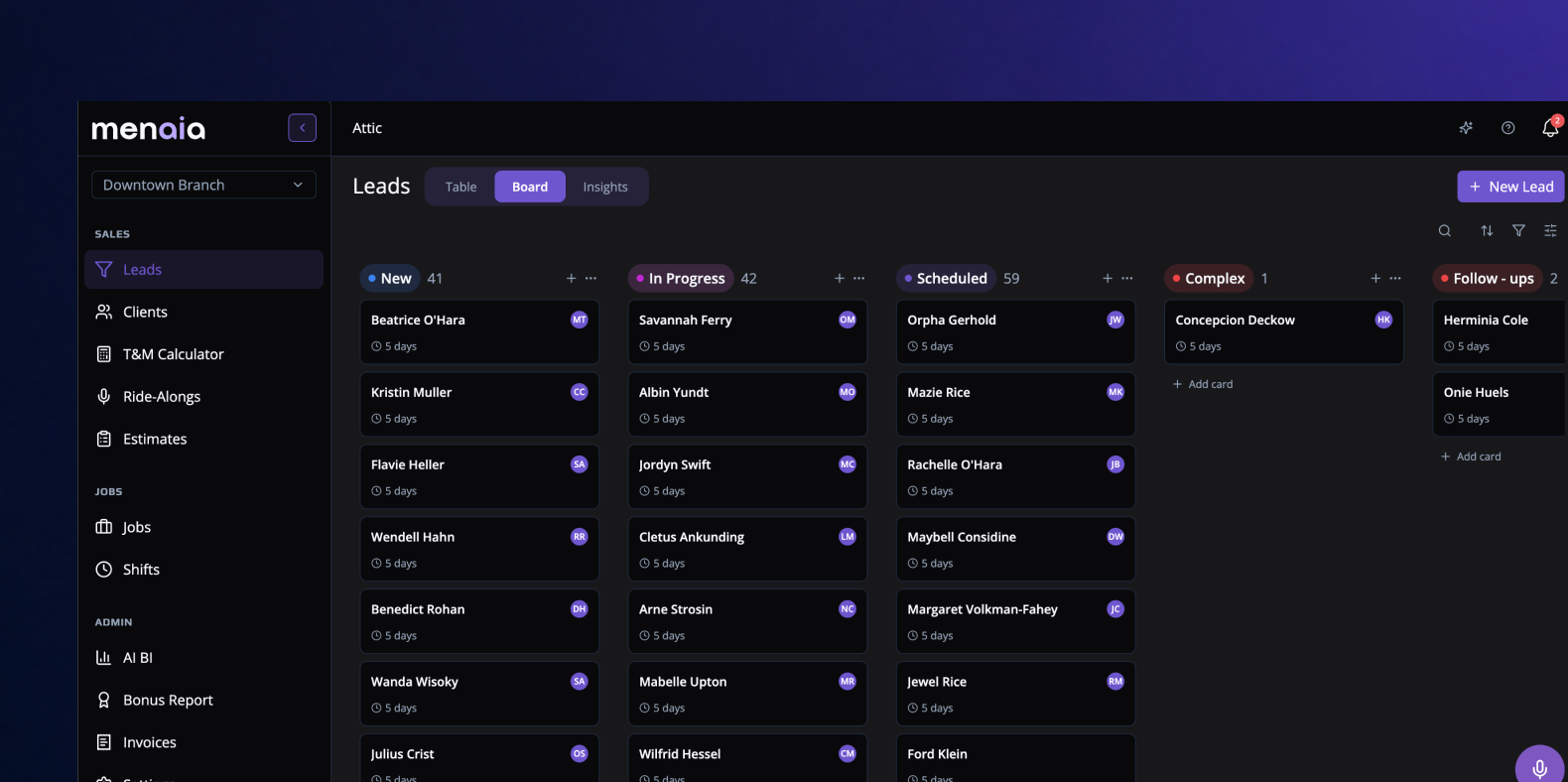
A lead pipeline that doubles as the entry point to the whole platform, designed so a contact is never re-created as it moves toward becoming real work.
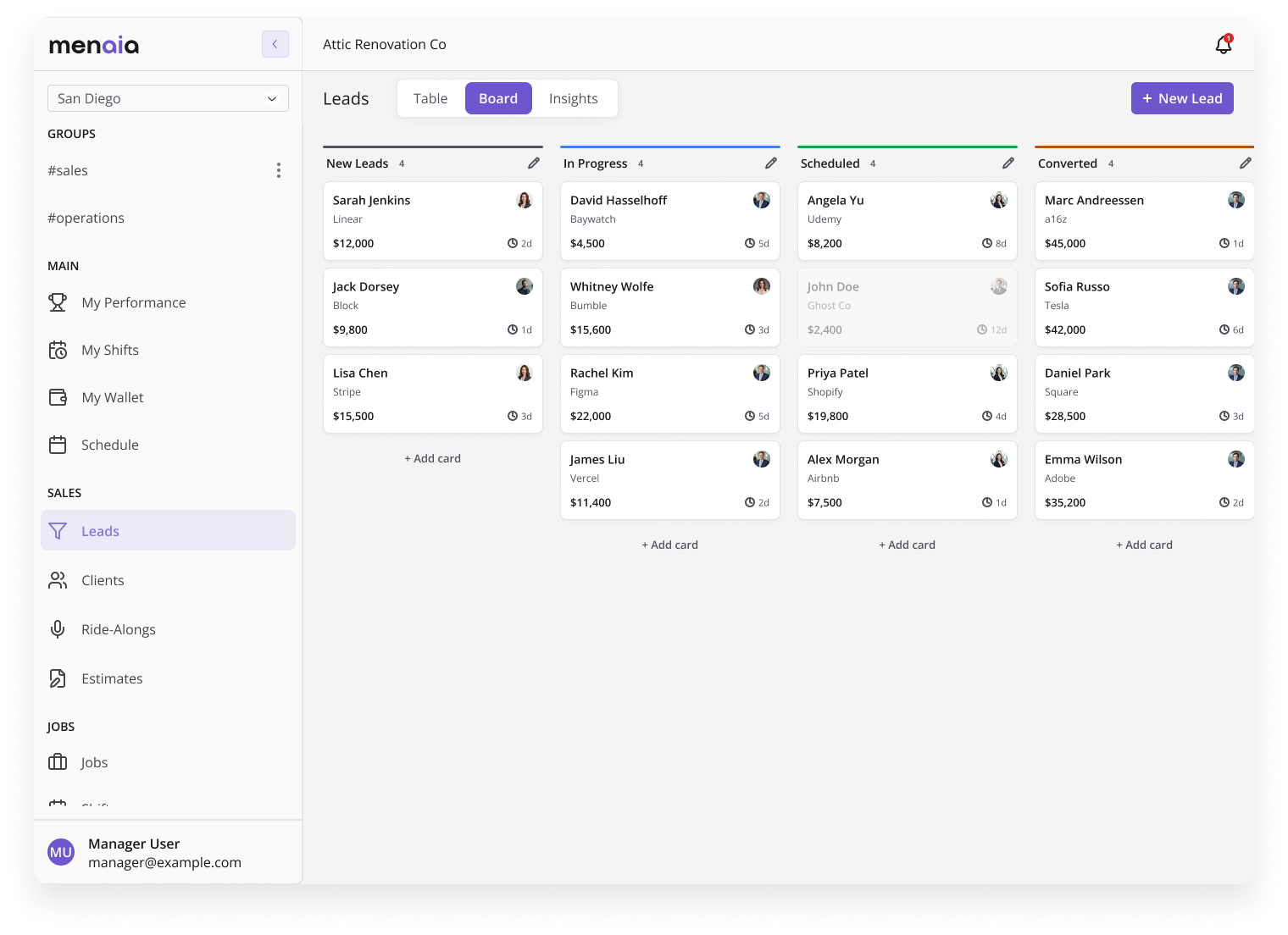
Every lead on a board, organized by stage, with deal size and time in stage visible at a glance.
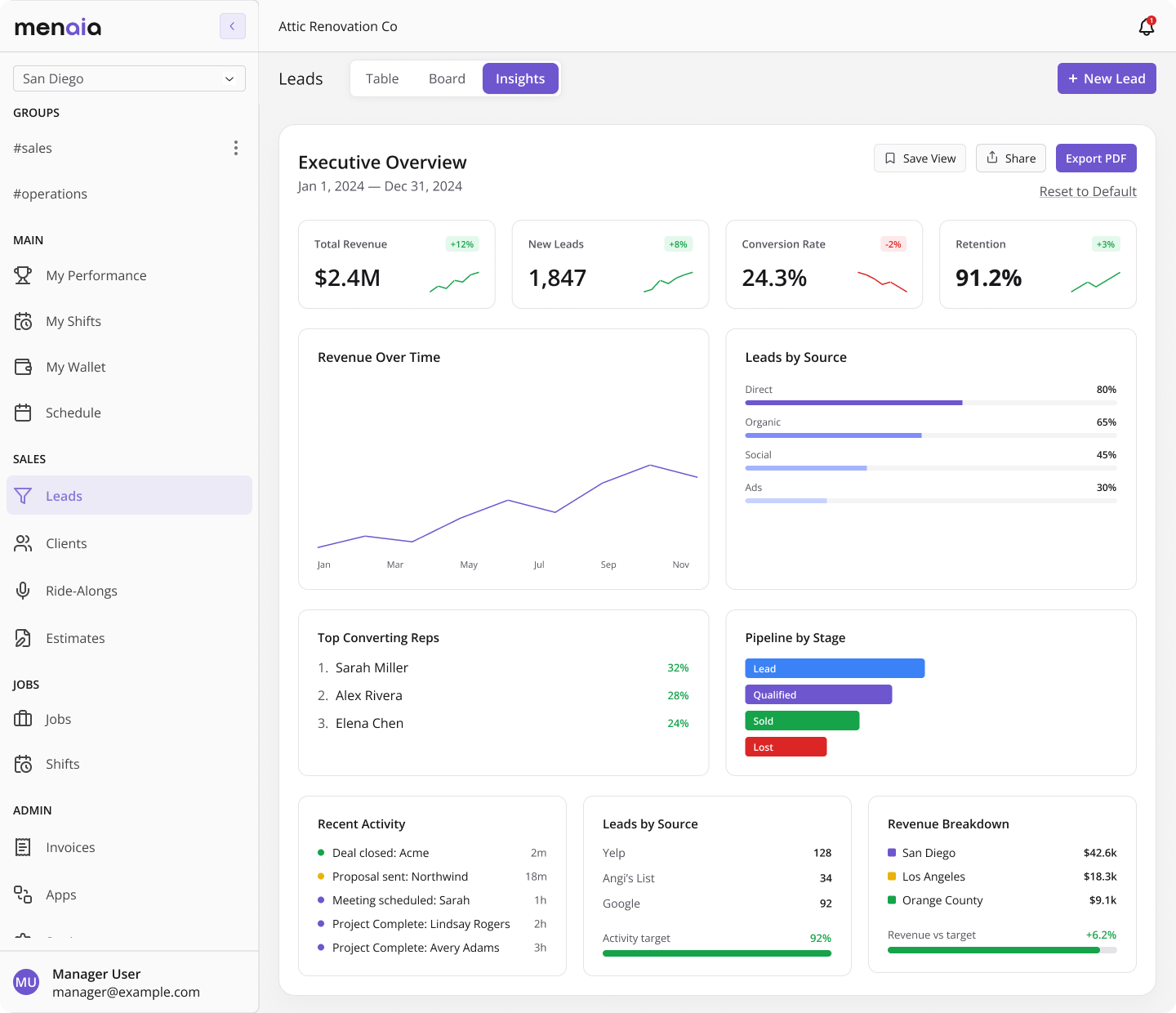
A live read on the business: revenue and lead trends, top-converting reps, lead sources, and stage-by-stage pipeline health.
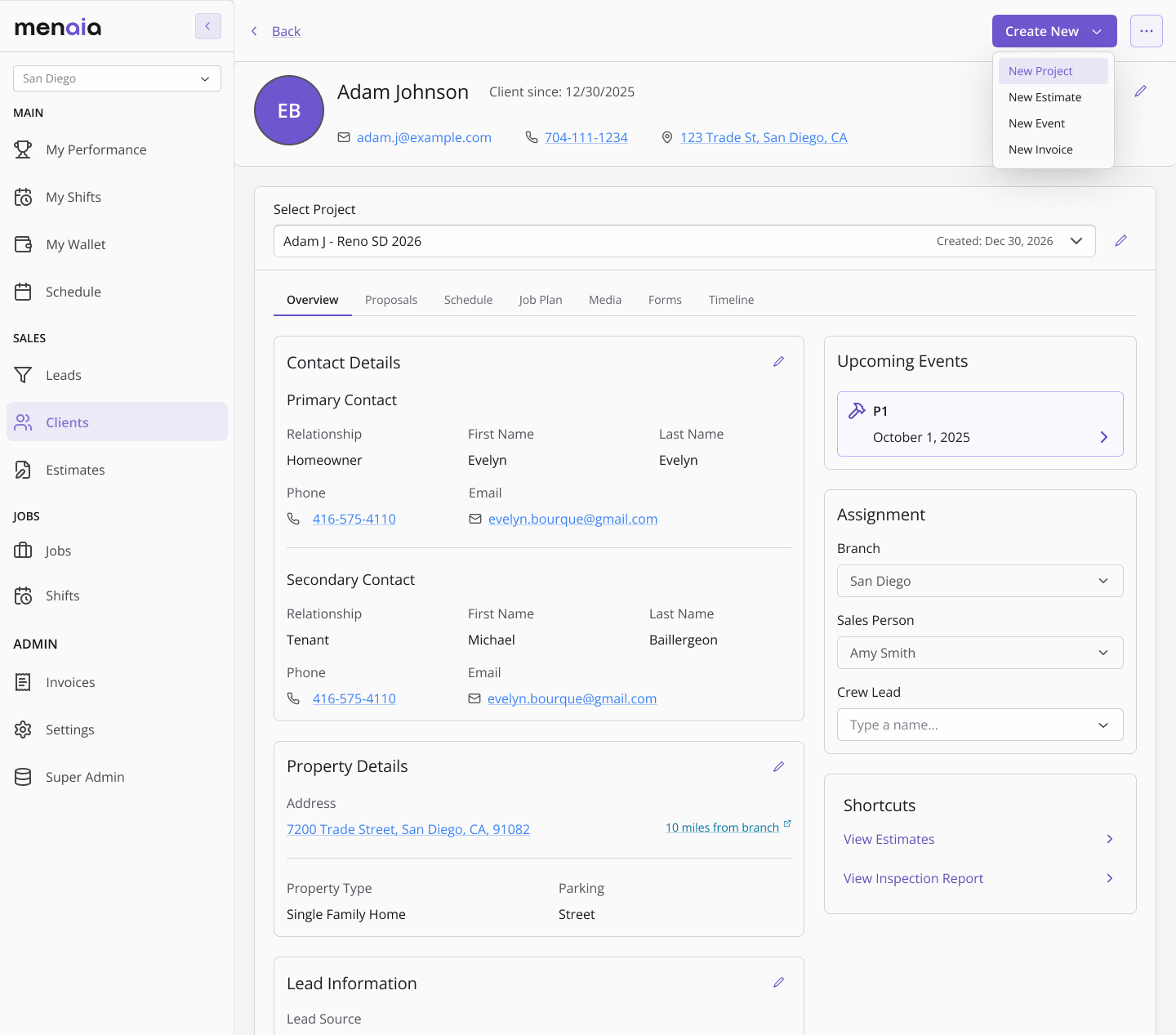
Everything about a client in one place: contact details, property, lead source, upcoming events, and crew assignment.